StageSense is currently in development and not yet available.
Overview & SitesPowerLighting & MAConsole DiagnosticsNetworkAlerts & NotificationsBlackbox & ReportsWeb App & PhoneServer, Client & Bridge

Features

Console Diagnostics

Console check over the network, continuous console monitoring, show file and plugin check, and the hardware test via boot stick.

Screenshots show the app in German with demo data; English screenshots follow with version 1.4.

Console check over the network

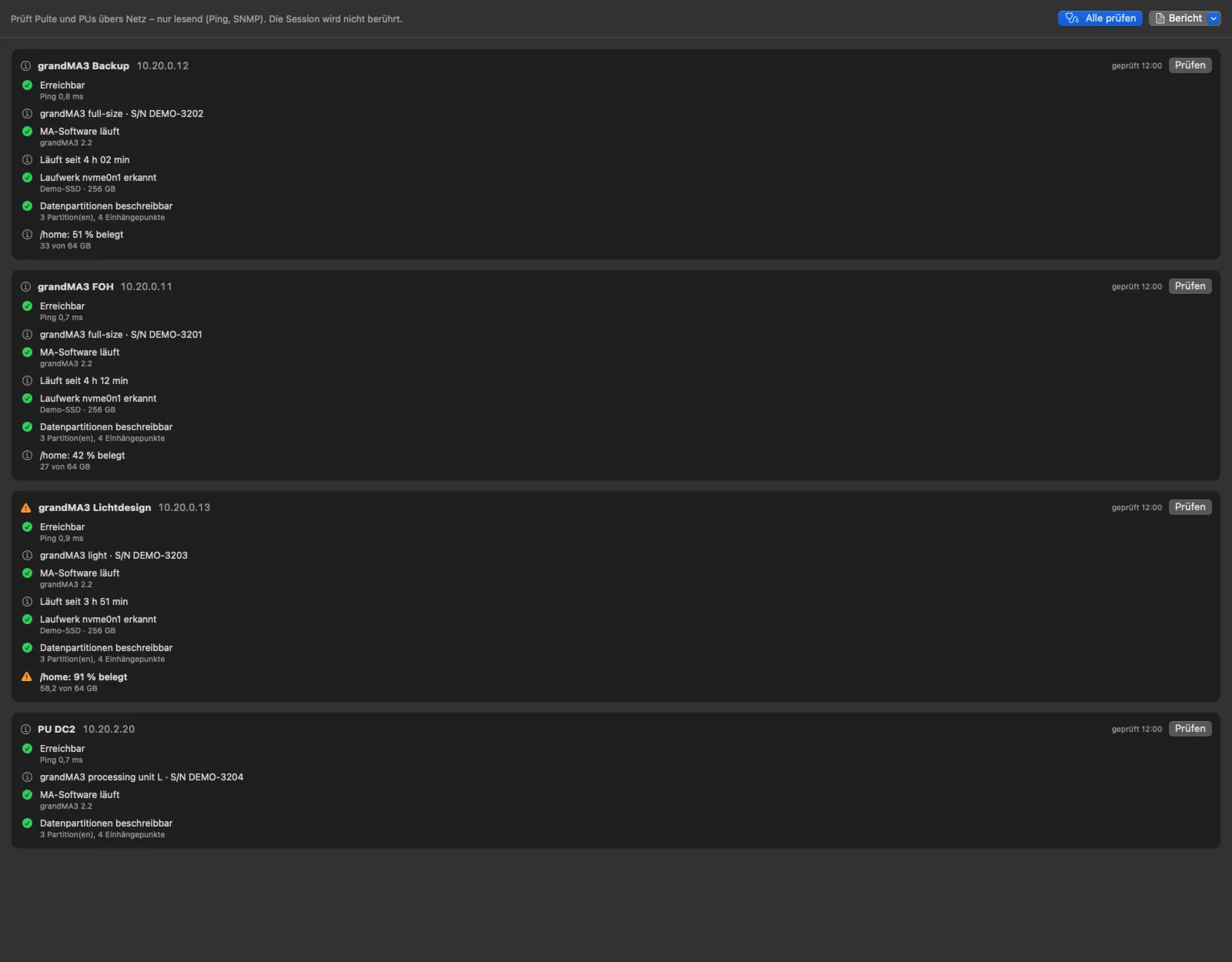
One click checks all consoles and processing units – or a single one: ping, SNMP and whether the MA software is running, the drive and its data partitions (read-write or read-only, usage), uptime and restarts, the console clock, response time over five queries, temperatures, fans and memory.

Everything read-only – session and show files are never touched. The report can be copied or saved as PDF.

Console diagnostics in the manual (German)

Console diagnostics in the Mac app: console check of three consoles and a processing unit – reachable, model, MA software, uptime, drive, data partitions and usage, one warning at 91 percent
Console check in the Mac app · demo data

Continuous console monitoring

With every SNMP query of a console StageSense reports what endangers a show: a file system that has become read-only – so the show file can no longer be saved –, a drive that is no longer reported, unexpected restarts, a partition above 90 %, a clock that is off by more than a day, and very sluggish responses.

Plus temperatures with fixed limits per sensor type and the fans – so a console doesn’t only get noticed when it hangs.

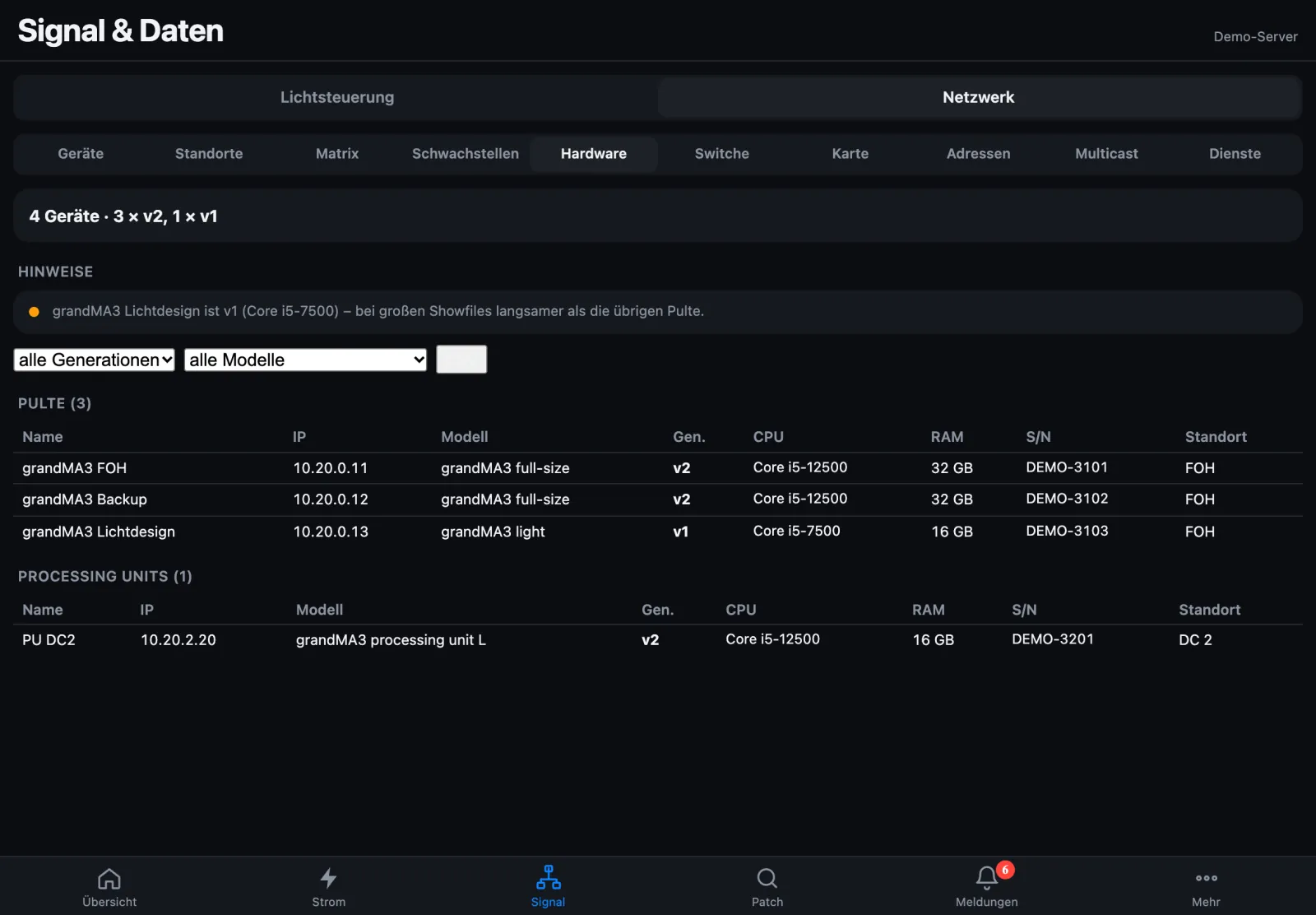
Hardware table: three grandMA3 consoles and one processing unit with model, generation, CPU, memory, serial number and site, a hint on a v1 console
Console hardware · demo data with made-up serial numbers

Check show files and plugins

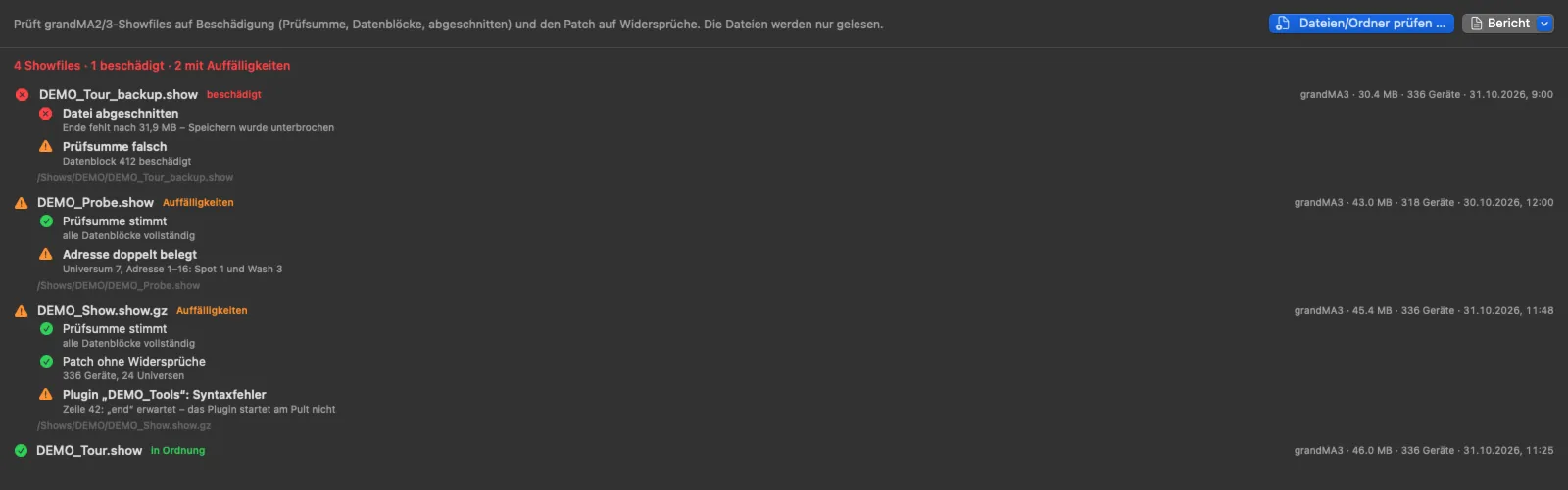
Check grandMA2 and grandMA3 show files, whole folders or USB sticks – press the button or drag them in. StageSense detects damaged files: empty, zeroed or truncated, a wrong checksum on MA2, a broken data block chain on MA3. Calibrated on more than 180 healthy show files and deliberately damaged copies.

Embedded Lua plugins are extracted and checked for syntax errors without running them. Versions of the same show are compared, and backup folders are checked automatically.

Show file check in the manual (German)

Show file check in the Mac app: four show files, one damaged (truncated, wrong checksum), one with a doubly used address, one with a syntax error in a plugin, one fine
Show file check · demo data

Hardware test via boot stick

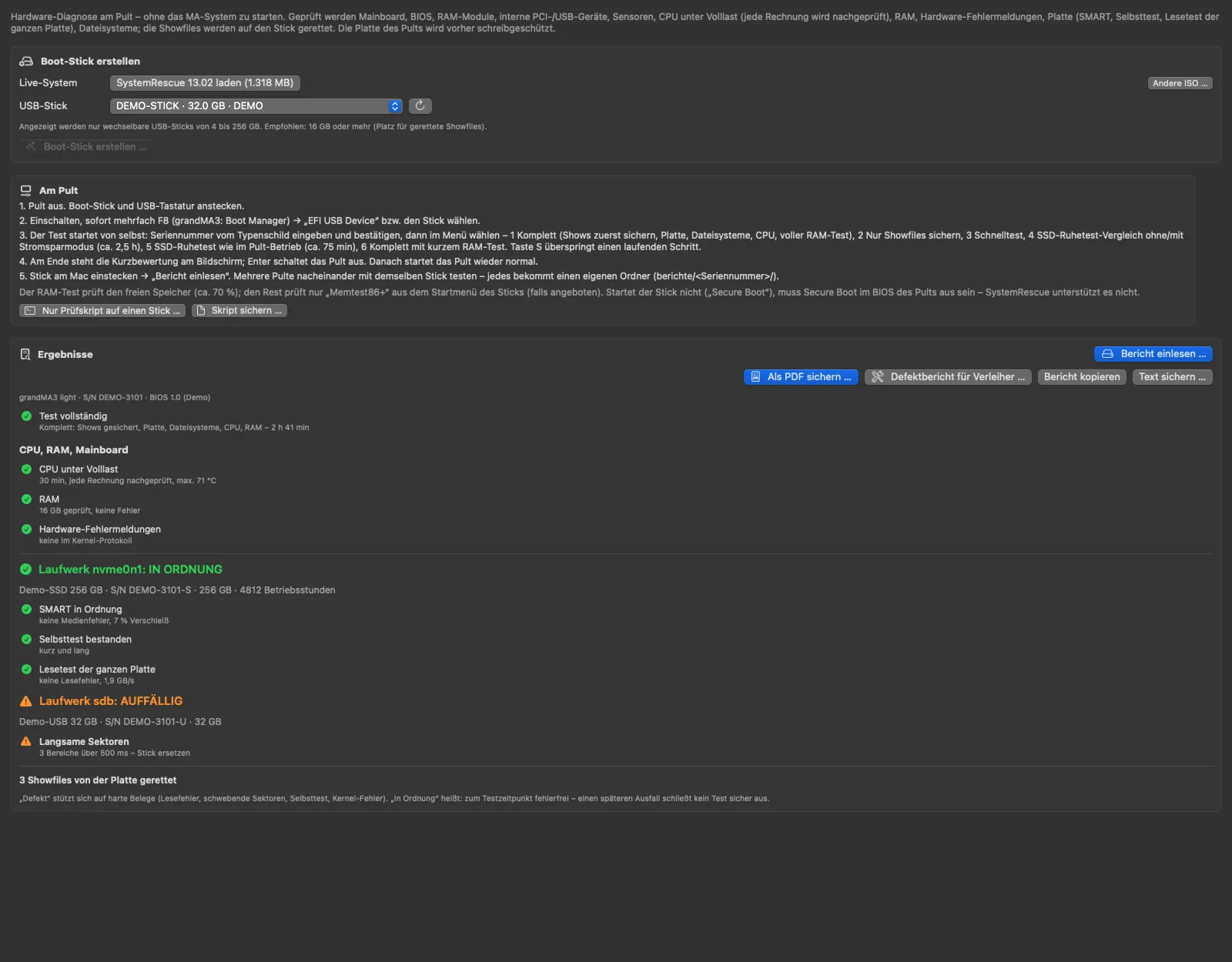
When you suspect hardware damage: StageSense creates a boot stick with a Linux live system and the test script – download and checksum included. On the console the test starts from the stick without starting the MA system and asks for the serial number from the type plate. Show files and plugins are copied to the stick only on explicit request (switch when creating the stick, off by default) – only your own, not the files supplied by MA (from build 218; until then “Complete” also saves the show files).

Then: SSD forensics, SMART, self-test and a read test of the whole drive, file systems, CPU under full load and a RAM test. The boot stick starts its own test system. Data and software on the console are not changed; the test only reads. Use at your own responsibility, only on your own consoles or with the owner's consent. If you wish, it additionally starts a short drive self-test and has the drive create a diagnostic image; both are recorded in the drive itself. Self-test and diagnostic image only on request from build 218; until then the stick always performs both. The results are stored on the stick, and StageSense turns them into a PDF – optionally as a defect report for the rental company.

The test does not come from MA Lighting and has been neither checked nor approved by MA Lighting.

Hardware test in the manual (German)
Hardware test in the Mac app: create a boot stick, steps at the console and the imported report of a console – CPU and RAM fine, one drive fine, one unusual, three show files saved
Hardware test and report · demo data

Console hardware

Generation v1 (Core i5-7500) or v2 (Core i5-12500), memory, model and serial number of all consoles and PUs – with hints on deviations and CSV export.

Compare

Compare two consoles from the same boot stick: if one is missing an internal device, that component is suspect.

Several consoles, one stick

Reports are stored on the stick by serial number and time – so you can test several consoles one after another.