StageSense is currently in development and not yet available.
The sixth sense for your show.
Power, lighting and network. Live at a glance.
StageSense monitors power distribution, lighting control and network at live events – with alarms on your phone before a problem becomes a showstopper.
Demo version for trying it out – StageSense is currently in development.
For Mac · server on a Raspberry Pi · web app for the iPhone included · Windows version not yet available
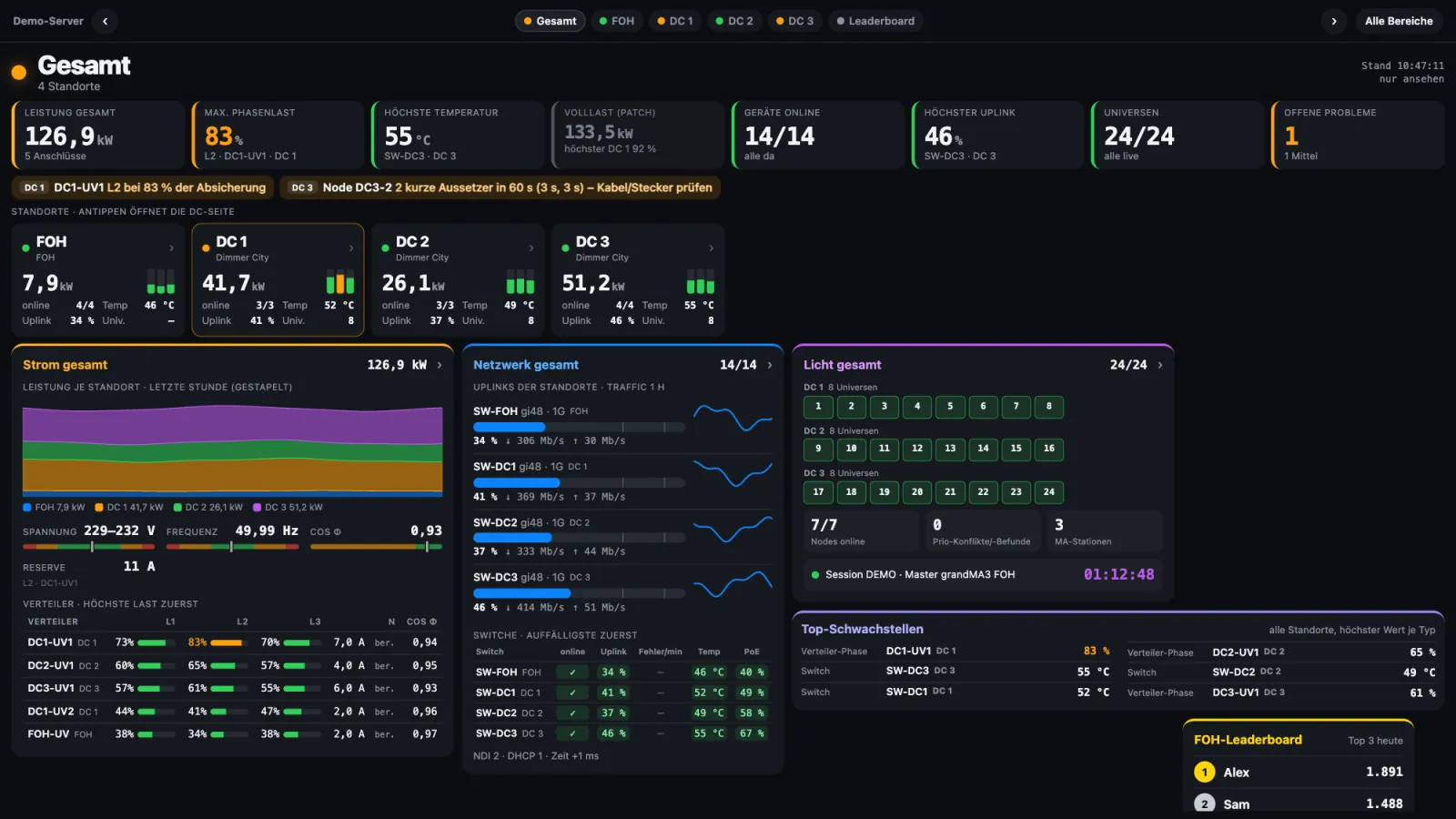
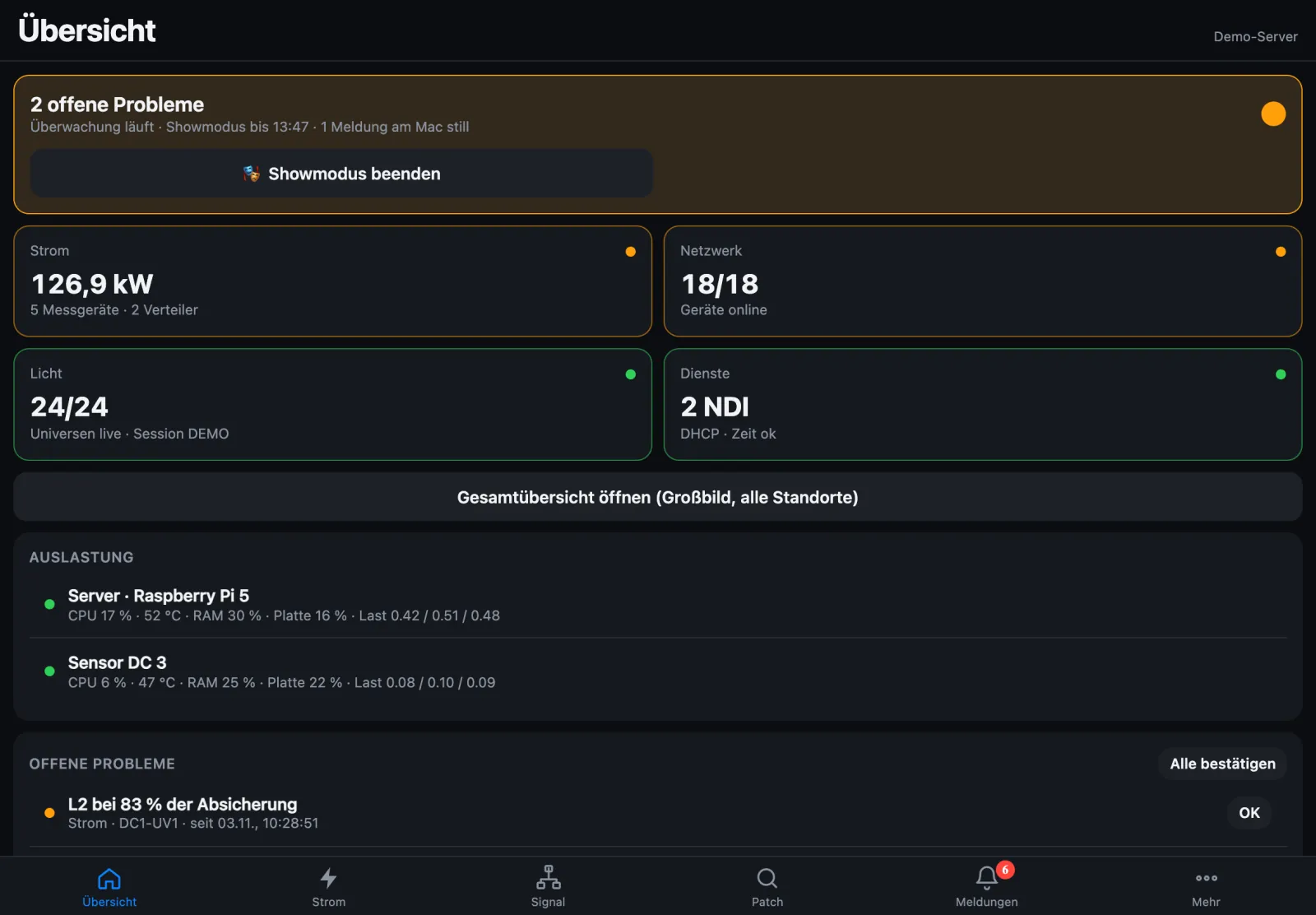
Overall view in the web app · demo data (app in German – English app coming with version 1.4)
Everything power and signal need at a show
Built from hands-on event technology – for technicians who want to know what is happening in their networks and distros. Every area explained in detail, with example images.
Versions 1.3.1 to 1.3.5 bring the blackbox for troubleshooting after a fault, an overall view with one page per site, details for every figure, full load from the patch, and alerts that reach your phone even in show mode – failures reported after about 7 seconds.
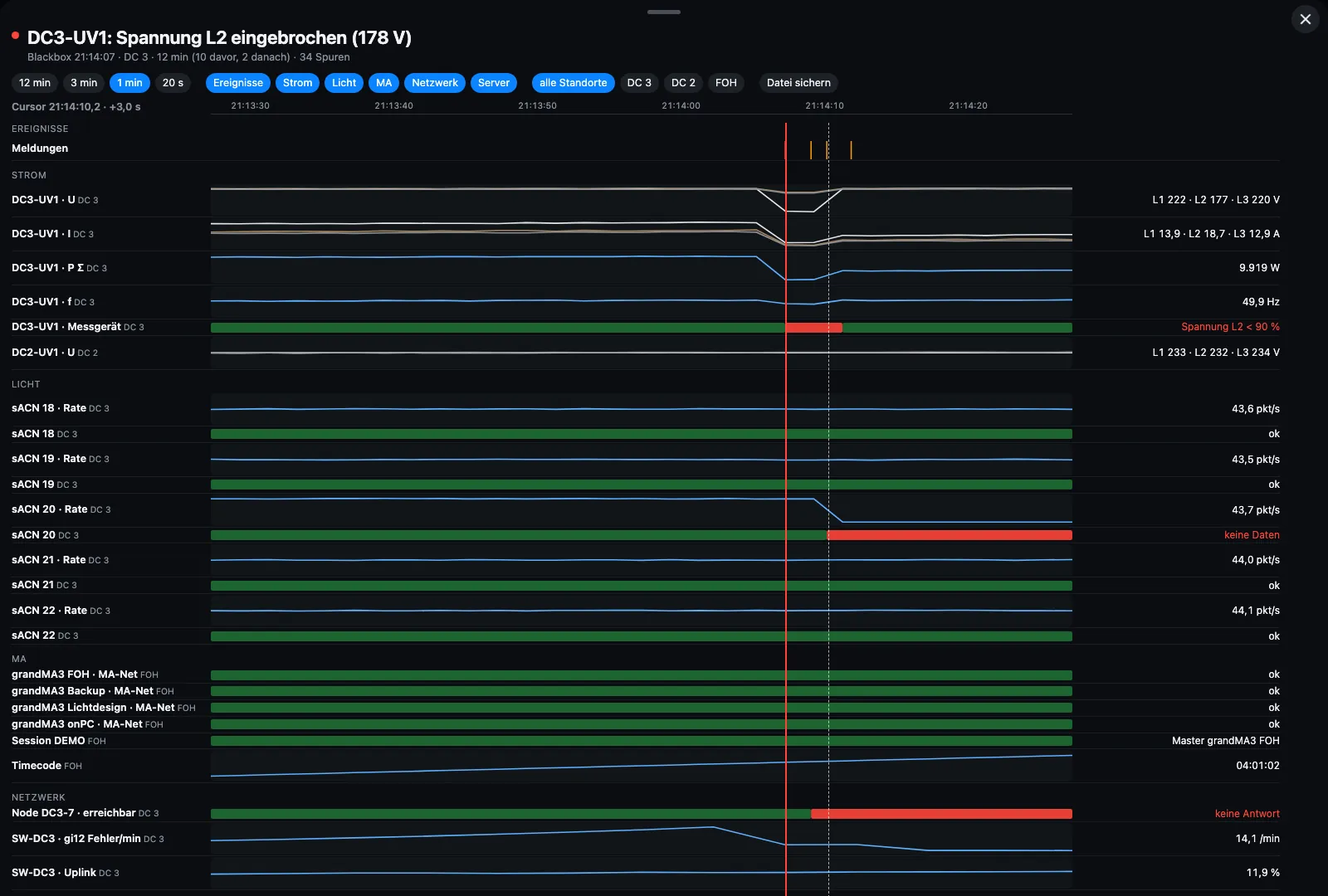
Blackbox – what happened before the failure?
StageSense constantly keeps the last minutes of power, lighting, MA, network and server in memory. On a fault – alarm, device unreachable, universe gone, voltage dip, phase lost – it saves 10 minutes before and 2 minutes after by default, and manually at the push of a button.
The timeline stacks all tracks with a shared cursor, the sequence of events below. The short report sums up trigger, affected device and sequence as a PDF. On the Mac, on the server and in the web app with a PIN.
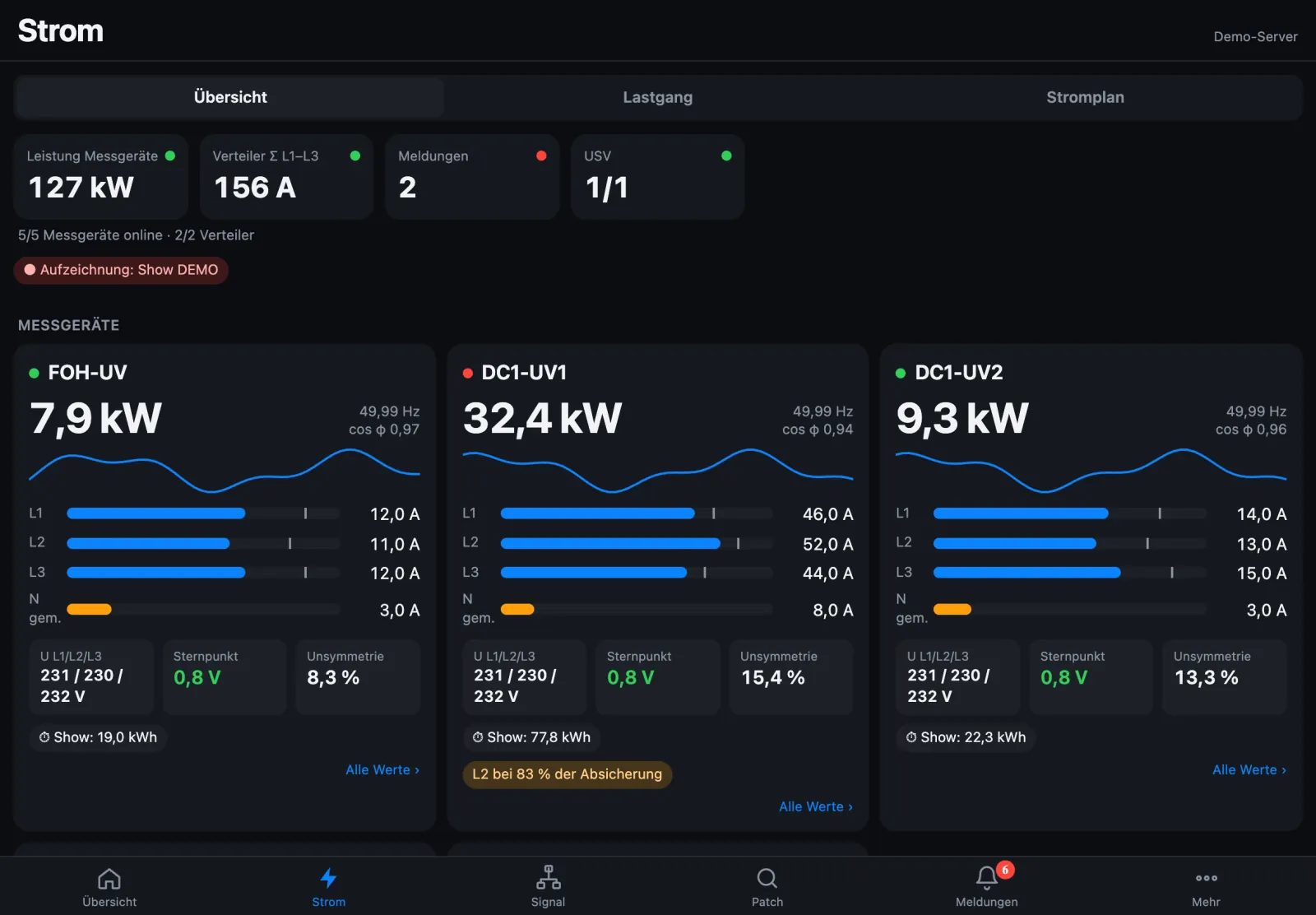
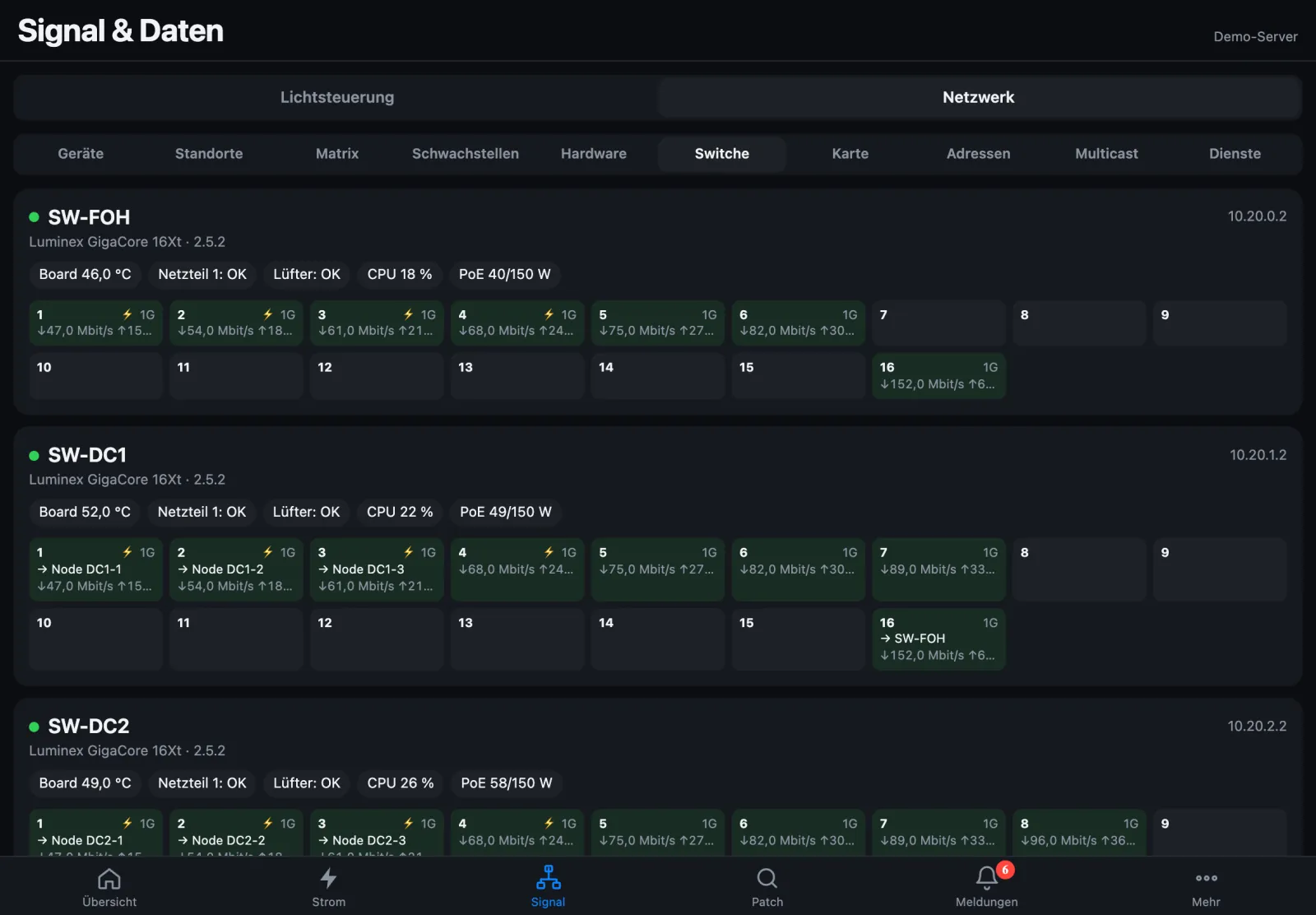
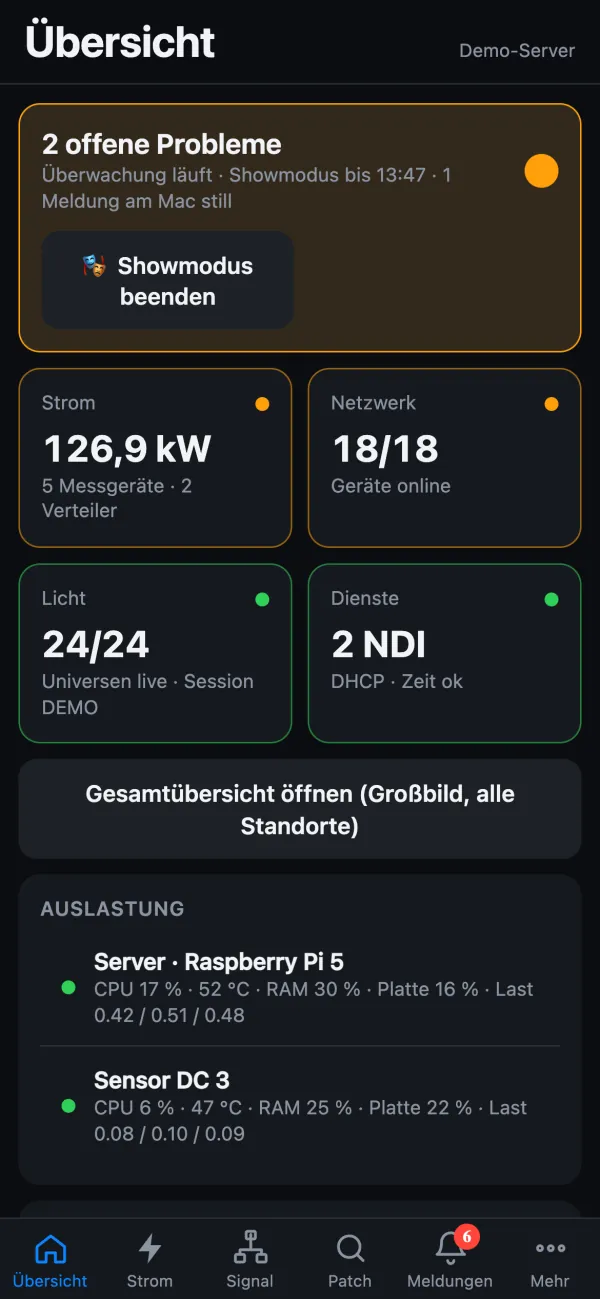
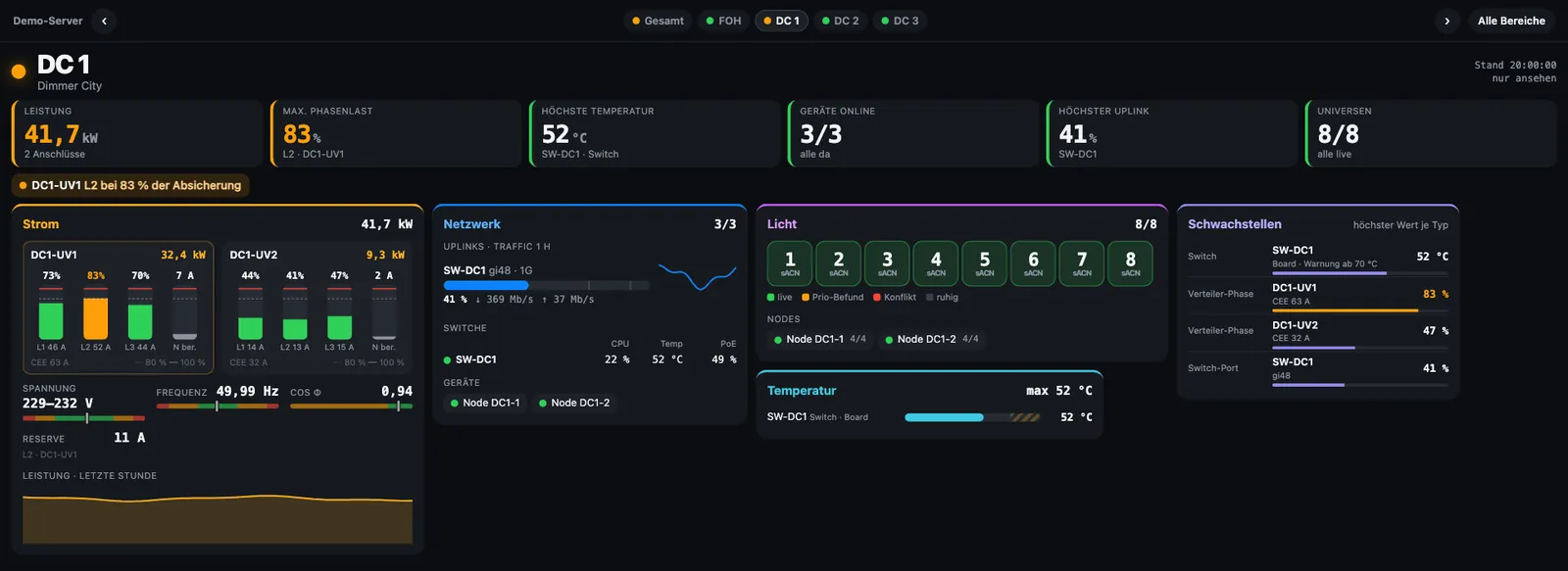
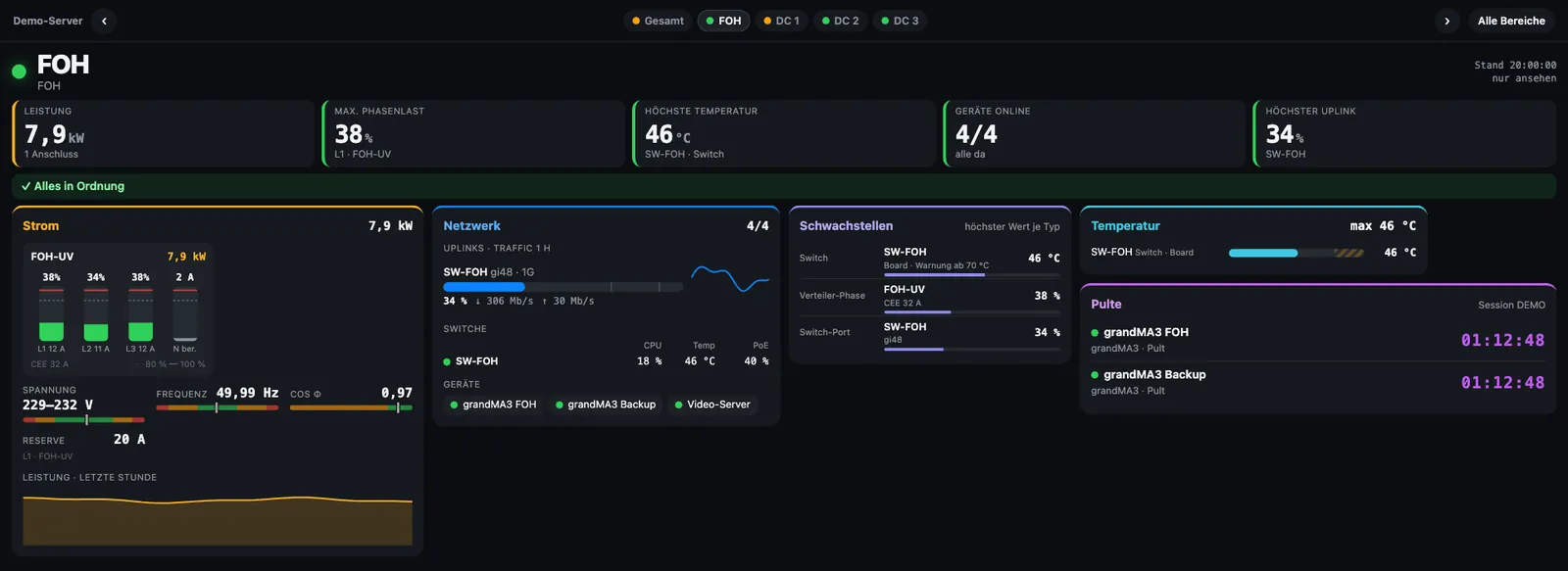
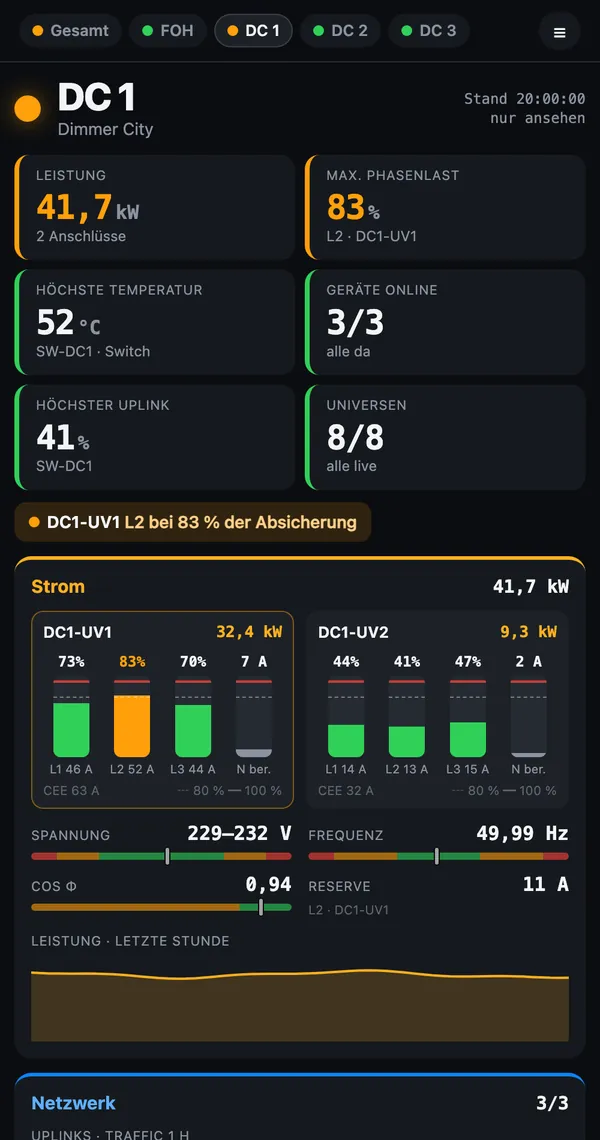
The overall view shows key figures, problems and one card per site. Each site page – FOH, DC 1, DC 2 … – fits on one screen without scrolling: consoles first at FOH, power and network first in the dimmer cities. With /dc?auto=20 a monitor pages through by itself.
On the DC pages the neutral current is shown as measured (“N gem.”) where the meter provides it, otherwise calculated from L1–L3.
DC page and FOH page · demo data
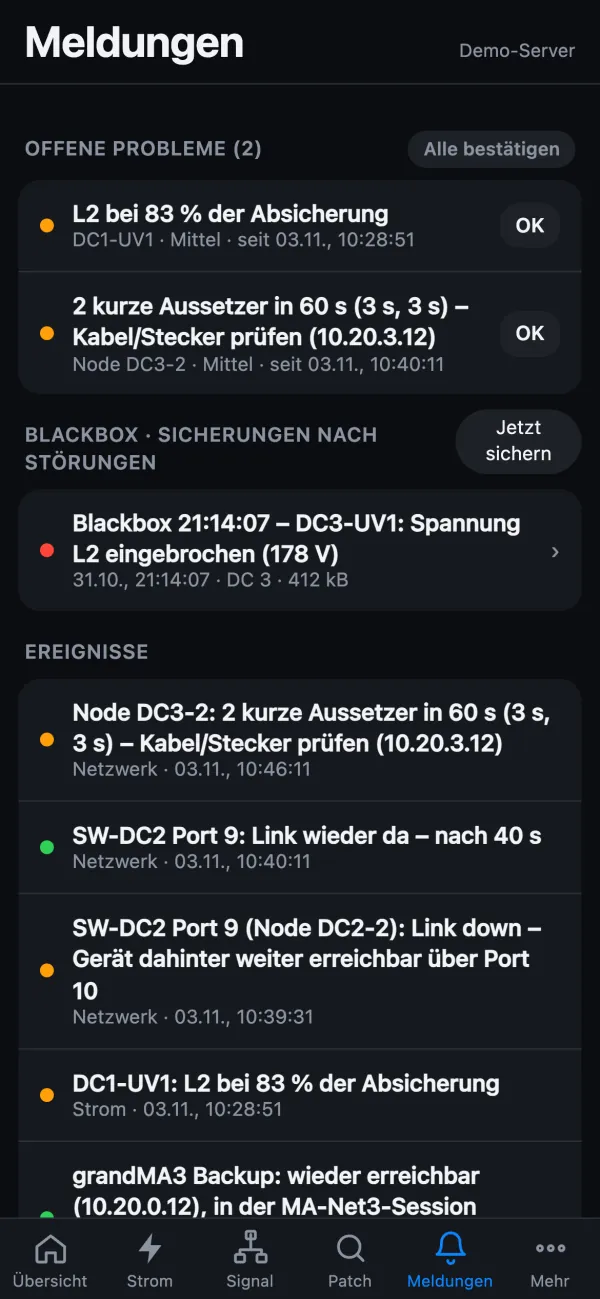
Alerts that arrive
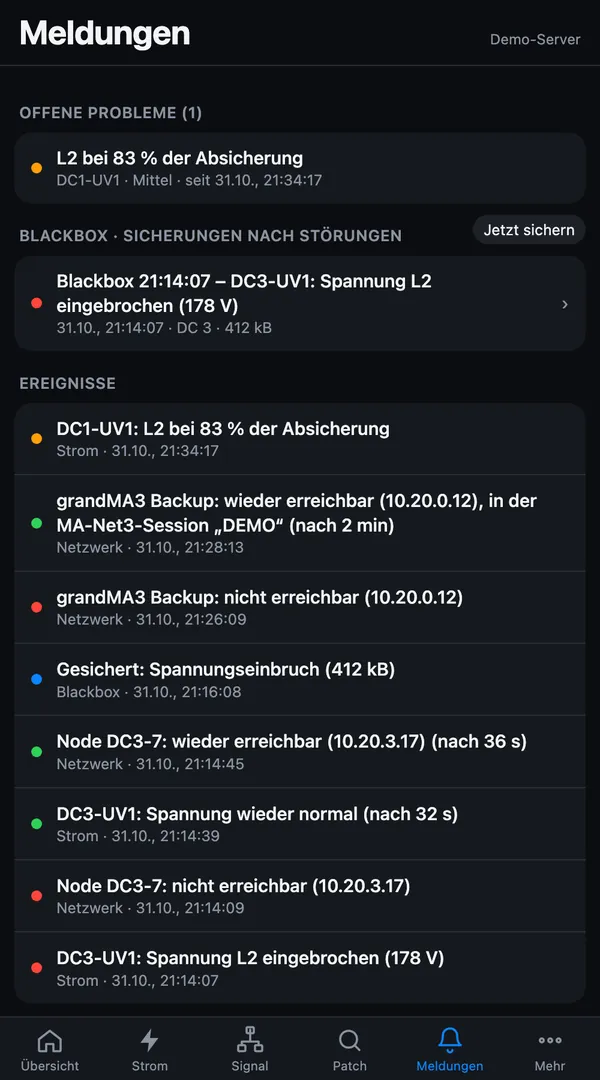
🔴 Alarm, 🟠 warning, ✅ resolved, ℹ️ info – consistent in the notification on the Mac and on every push route: web push, ntfy, Pushover, Telegram and webhook. Every problem reports its end where it was reported, e.g. “reachable again”.
Show mode only silences the Mac – push to the phone keeps going, so you know immediately what is happening. Warnings and power alarms are on by default.
Web app on the phone · demo data
Power alarms out of the box
Under- and overvoltage, phase loss, frequency and load per feed are reported by default – by the limits, without an alarm rule of your own and with a resolved message.
Limits in one place
Nominal values and power limits on one settings page. DC pages, matrix, status lights, web app, alarms and blackbox use the same numbers.
Internet view
View the server on the go at live.stagesense.de, with an ID and PIN. The server only connects outward – the Pi stays unreachable from outside.
Energy
Load profile with 15-minute peak per distro, site and overall, energy and cost per job in the PDF, CSV export and power quality based on EN 50160.
Power library and patch
922 fixture types from 38 manufacturers with power from the data sheet. Import patch lists as PDF or CSV – StageSense remembers the template per designer.
MA console hardware
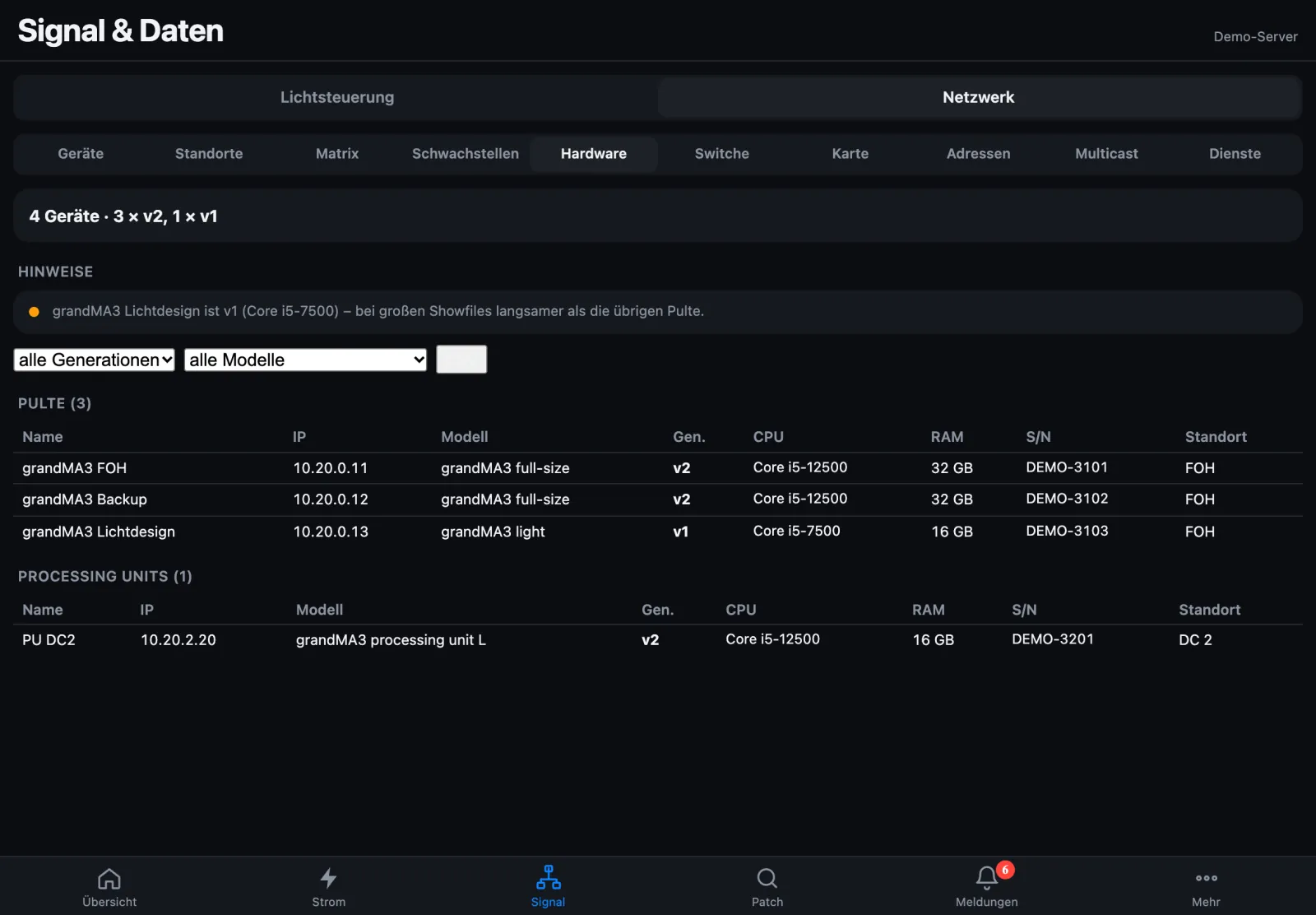
Generation (v1/v2), memory, model and serial number of consoles and processing units – with hints on deviations and CSV export.
grandMA
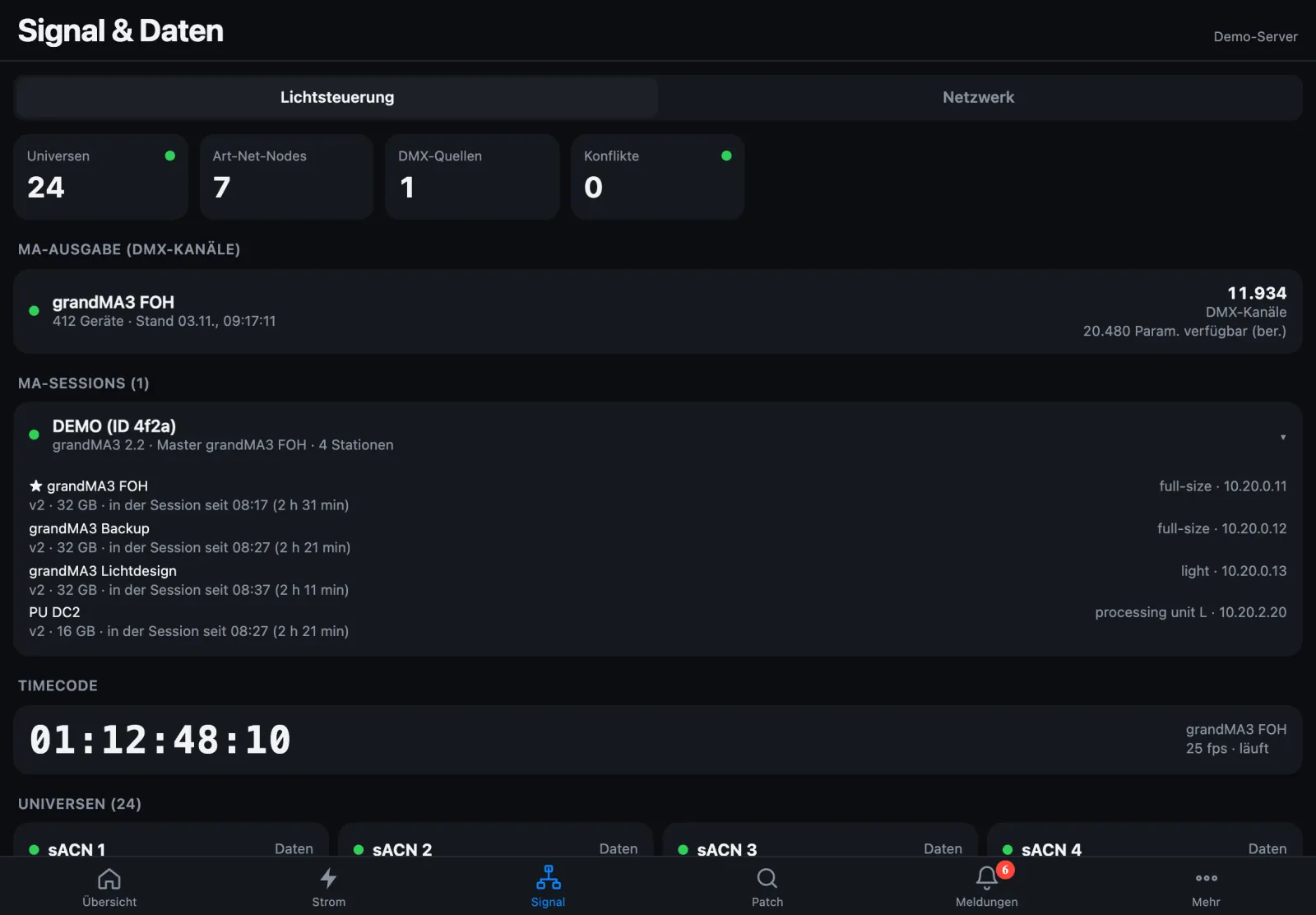
System Monitor on all grandMA2 consoles with one switch, console timecode, FOH leaderboard and MA-Net capture right on the server.
Console diagnostics
Console check over the network, show file and plugin check, and a hardware test via boot stick – it copies show files only on explicit request (from build 218; until then “Complete” also saves the show files). More
Details for every figure 1.3.5
Tap a figure or tile on a DC page to see everything on that topic – as a sidebar on a monitor, full screen on the phone, as a pop-up on the Mac. More
Full load from the patch 1.3.5
All fixtures at full, per phase against the breaker – as a blue mark in the phase bar. A planning value: no status colour, no alarm. More
Loose contacts detected 1.3.5
Two short dropouts in 60 s give “check cable/connector”. Plus link down on important switch ports, unusual nodes and a warning when push doesn’t arrive. More
Resolved with duration 1.3.5
Every resolved message carries the duration, and no reported problem ends silently any more. More
Failures in seconds
“Unreachable” after about 7 s instead of up to 30 s, even a quick cable swap from 6 s. A device with several addresses reports only once, the universe of a failed node without its own alarm.
MA session at a glance
Per grandMA2 station the master priority and who takes over if the master fails – plus hardware (model, v1/v2) and “in the session since …”, in the web app too.
Pairing and updates
Pair server and bridges with a click or QR code. Updates are installed from the device account right in the browser – signed and never in show mode.
Everything StageSense sends on the show network – and what it never sends – is listed in the manual (German).
Server and Bridge
For continuous operation StageSense runs headless on a Raspberry Pi on the show network – around the clock, even with no Mac connected. You operate the server via the web app in the browser or from the Mac; setup is done on the Mac.
StageSense server
Monitors power, lighting and network like the Mac app and sends push alerts to your phone. With blackbox, updates in the browser and pairing by click or QR code.
Raspberry Pi 5 with 8 GB, NVMe SSD and the official 27 W power supply – a Pi 4 with a 64-bit system works too
RTC battery (ML-2020) – so the clock is right even without internet
Raspberry Pi OS Lite (64-bit)
Network on a trunk port: management network untagged, further networks as VLANs
Server licence
StageSense Bridge
Makes MRG/connex distros readable on the network through their USB socket “NW” – read-only, as Modbus TCP. Works with the Mac app just like with the server. Updates in the device account, pairing by click or QR code.
Raspberry Pi 4 (2 GB is enough) with the official power supply
Raspberry Pi OS Lite (64-bit)
one USB cable per distro, up to 3 distros (more via an active USB hub)
only distros with the same earth on one Pi, otherwise USB isolators
bridge licence of the same customer, activated on the licence server – one is included with every PC licence
Setup, network and licence step by step in the manual (German).
Pricing
Provisional prices – sales have not started yet. StageSense is currently in development. The offer is aimed exclusively at businesses (B2B).
StageSense is a tool for displaying and reporting the status of event technology – not a safety device. Alerts may be missed or delayed. StageSense gives no warranty that an event will run without disruption or errors. Responsibility for operation and safety remains with the user or event organiser.
Buy once, or rent per year or per month. The PC licence is the base licence and always required – it covers the Mac app on one computer and includes one bridge licence in every term. Server and further bridges come on top.
Lifetime
pay once, use permanently
PC licence base licence, incl. 1 bridge
€1,800
2nd PC
€1,000
3rd PC onwards per PC
€500
Server incl. 1 bridge
€600
each additional bridge
€150
Annual licence
per year
PC licence base licence, incl. 1 bridge
€350
2nd PC
€250
3rd PC onwards per PC
€150
Server incl. 2 bridges
€150
every 2 additional bridges
€25
Monthly
per month, minimum term 1 month
PC licence base licence, incl. 1 bridge
€99
2nd PC
€69
3rd PC onwards per PC
€49
Server incl. 2 bridges
€49
every 2 additional bridges
€9
All prices net, plus statutory VAT. Every bridge is activated on the licence server. Questions are welcome via contact.
Demo and full version
The demo is free and not time-limited. It runs with the built-in simulators – real devices need a licence key.
Enter the key in the app under Einstellungen → Lizenz (Settings → Licence), for the server in the web app under Lizenz. Activation needs internet once; after that StageSense runs offline and only briefly confirms the licence online every 60 days.
Download
Always the current version. After that StageSense updates itself with the built-in update function.
Demo version for trying it out – StageSense is currently in development.