StageSense is currently in development and not yet available.
Overview & SitesPowerLighting & MAConsole DiagnosticsNetworkAlerts & NotificationsBlackbox & ReportsWeb App & PhoneServer, Client & Bridge

Features

Lighting & MA

Universes and sources, live DMX with fixtures, nodes, MA sessions, console hardware, patch, DMX test and leaderboard.

Screenshots show the app in German with demo data; English screenshots follow with version 1.4.

Universes, sources and sessions

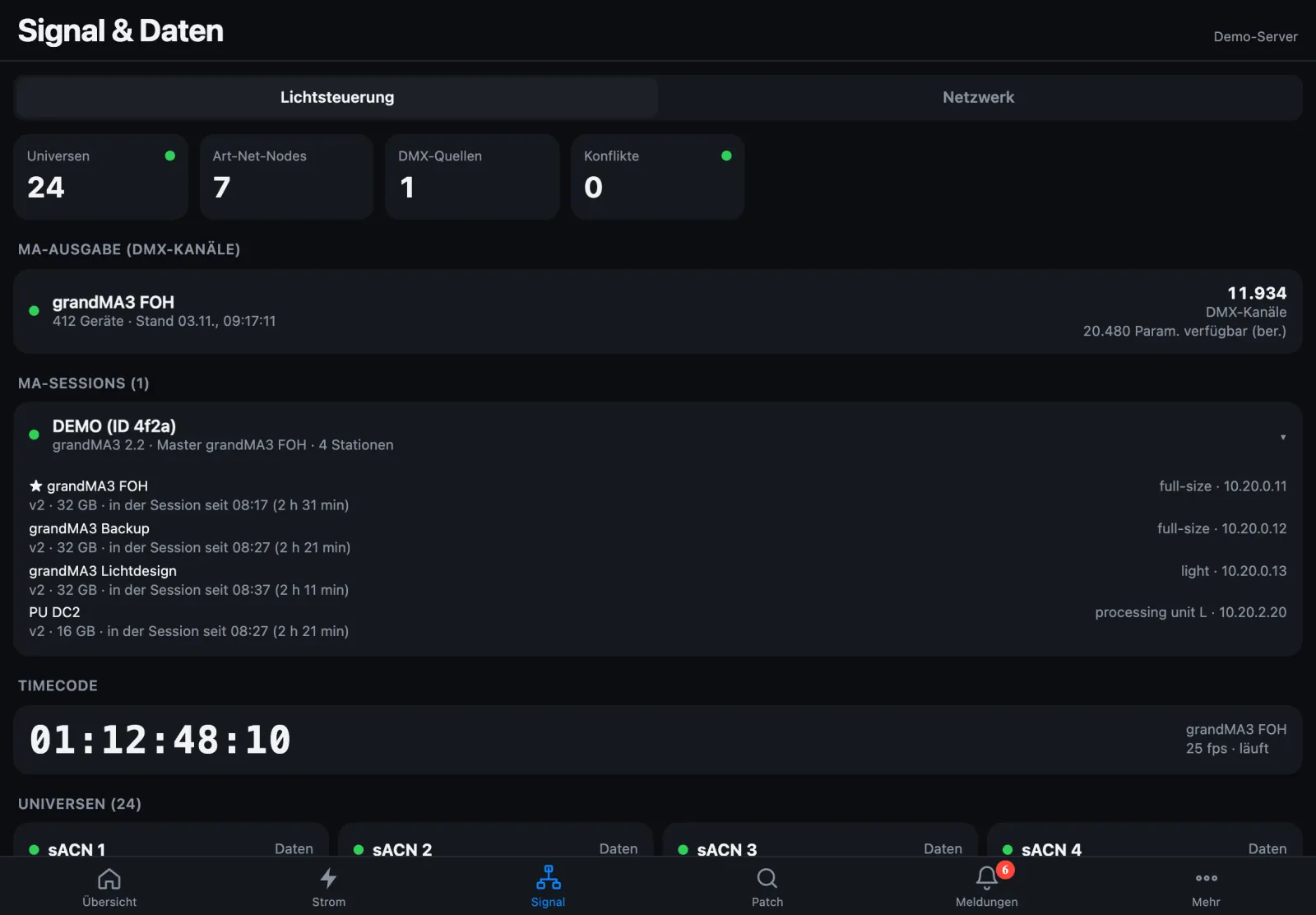
StageSense listens to Art-Net, sACN, MA-Net2/MA-Net3 and RDM and shows who sends which universe, with which priority and frame rate, which node outputs it and whether there are conflicts. A conflict means two sources with the same highest priority on the same universe.

MA sessions show name, ID, version, master and all stations – each station with hardware and “in the session since …”. For grandMA2 you also get the master priority and who takes over if the master fails. Plus the timecode and the DMX channels of the MA output.

grandMA2 and grandMA3 (limited): StageSense shows which consoles and nodes are on the network and, for grandMA2, the session state (members, master, takeover). It does so by passively listening to MA-Net traffic on your own network and – for grandMA2 – reading the System Monitor that MA provides for read access. StageSense sends nothing into MA-Net and changes nothing on the console. These functions are neither developed nor authorised by MA Lighting; scope and availability may change.

grandMA, grandMA2, grandMA3 and other MA designations are trademarks of MA Lighting Technology GmbH. StageSense is not affiliated with MA Lighting.
MA-Net in the manual (German)

Lighting control in the web app: 24 universes, 7 nodes, no conflicts, MA output, expanded MA session DEMO with four stations and running timecode
Lighting control with MA session · demo data

Live DMX – with the fixture behind it

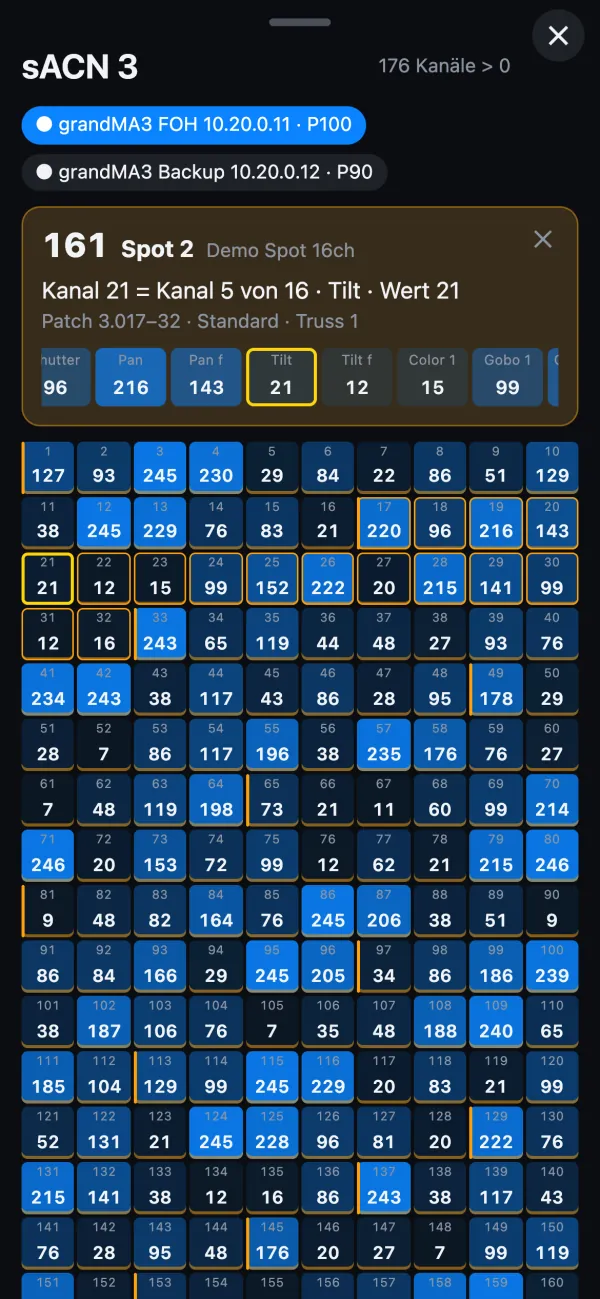
The 512 channels of a universe live, per source if you like. Tap a channel to see the fixture from the patch: fixture ID, name, type, which of its channels it is, and all its values at a glance.

So you quickly know whether a device really gets data – or whether the problem is the device itself.

DMX in the manual (German)

DMX values of sACN 3 on the phone, channel 21 tapped: Spot 2, channel 5 of 16, tilt, value 21, below the grid of all channels
DMX with fixture on the phone · demo data

Nodes

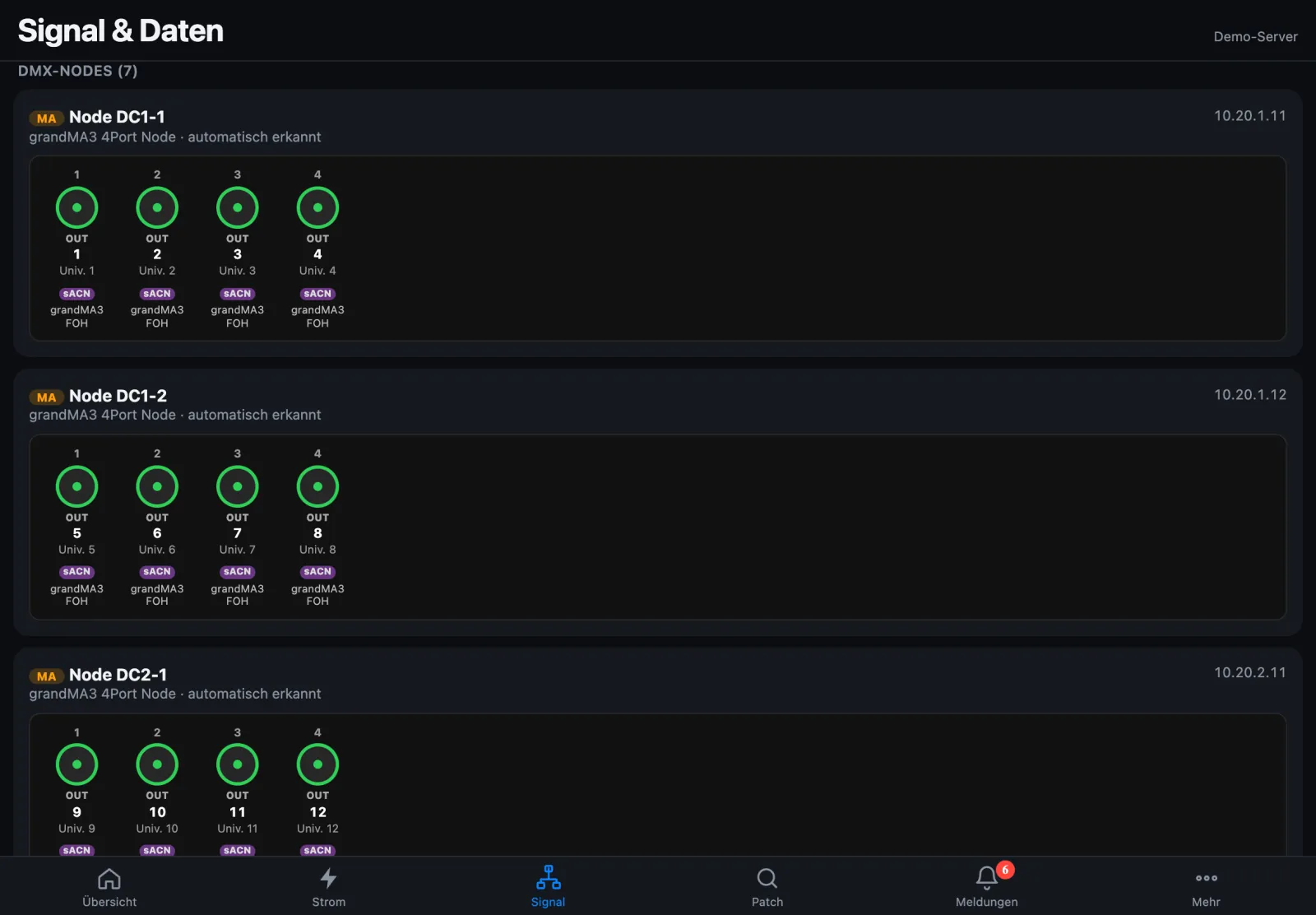
Every node as a device with its sockets: which universe is on which port, whether it outputs, input, merge (HTP/LTP), sACN mode, conflict, and which console the data comes from. Models from MA, Luminex, Swisson, ELC, DMXking, ChamSys, Obsidian, ENTTEC, Pathway and Avolites are detected automatically.

Unusual node New in 1.3.5 If an MA node drops out of MA-Net twice, a console reports it with a timeout, or its CPU is clearly above the others, you get “behaving unusually – check restart”. If several nodes of a site are unusual, there is one alert for the site pointing to switch port, patch or uplink.

Nodes in the manual (German)

DMX nodes: grandMA3 nodes with four sockets each, universe, output and sACN tag
DMX nodes · demo data

Patch and RDM

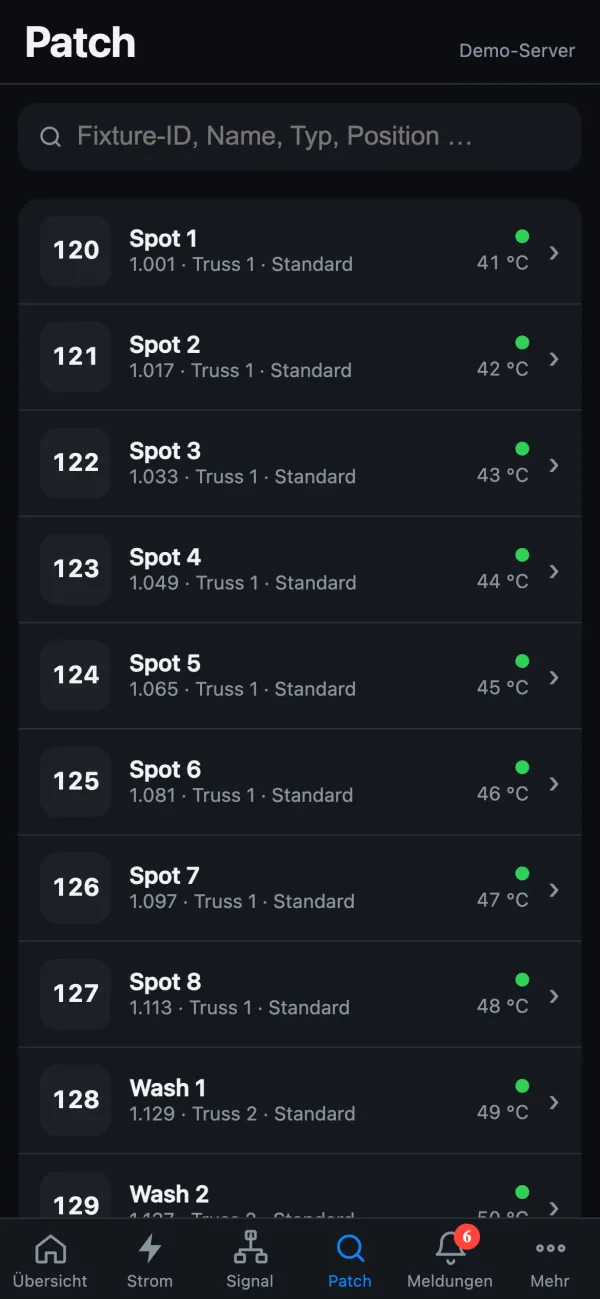
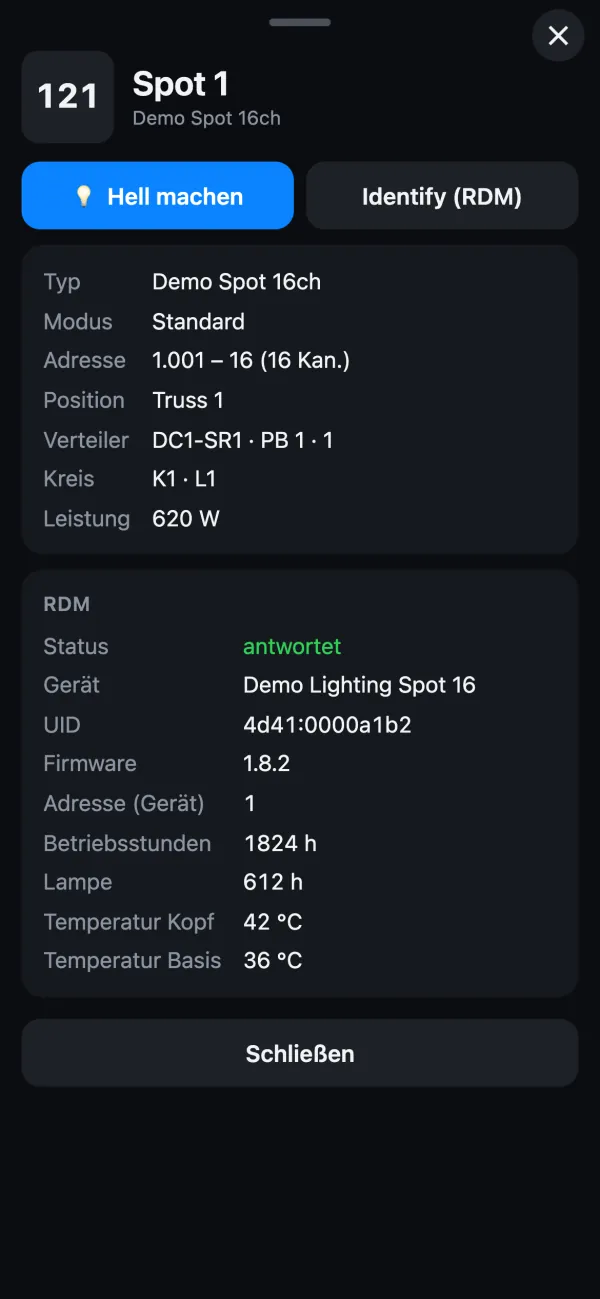
StageSense takes the patch from the MA3 show, from MVR or CSV, patch lists also as PDF. Fixture search finds by fixture ID, name, type or position; each fixture shows address, position, distro, circuit and power.

RDM asks the nodes for their devices: manufacturer, model, address, firmware, operating and lamp hours, temperatures and status messages, overlapping addresses in red. Reading is throttled; writing only after explicit approval.

Patch in the manual (German)

Fixture search on the phone: spots with fixture ID, address, position and temperature from RDMFixture Spot 1 on the phone: type, mode, address, position, distro, circuit, power and RDM values
Patch and RDM on the phone · demo data

DMX test

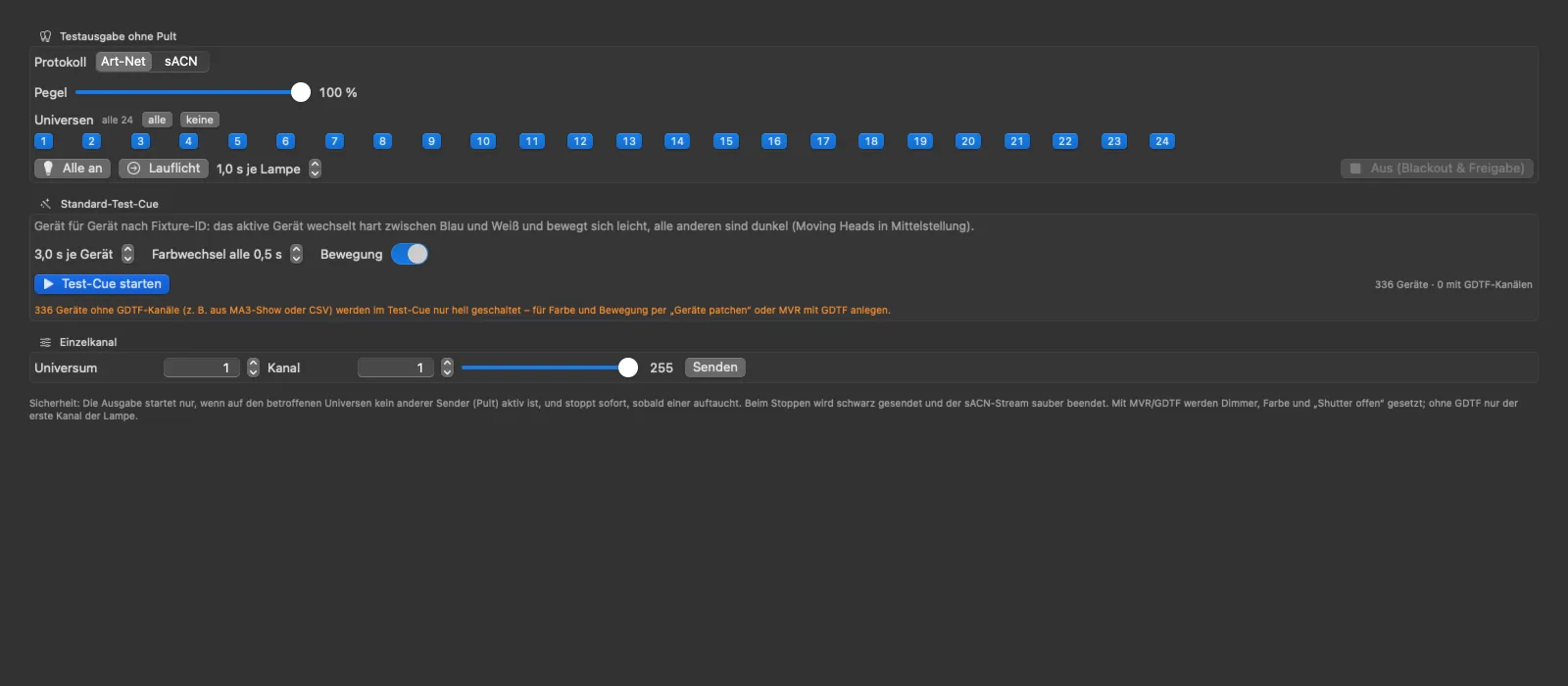
Bring up selected fixtures or run a test cue – for focusing without a console, or to check whether a node outputs. You choose which universes the test plays in a grid.

The DMX test is the only time StageSense sends Art-Net or sACN – and it runs only while you start it.

DMX test in the manual (German)

DMX test in the Mac app: choice of universes and fixtures, bring up and test cue
DMX test in the Mac app · demo data

FOH leaderboard – tongue in cheek

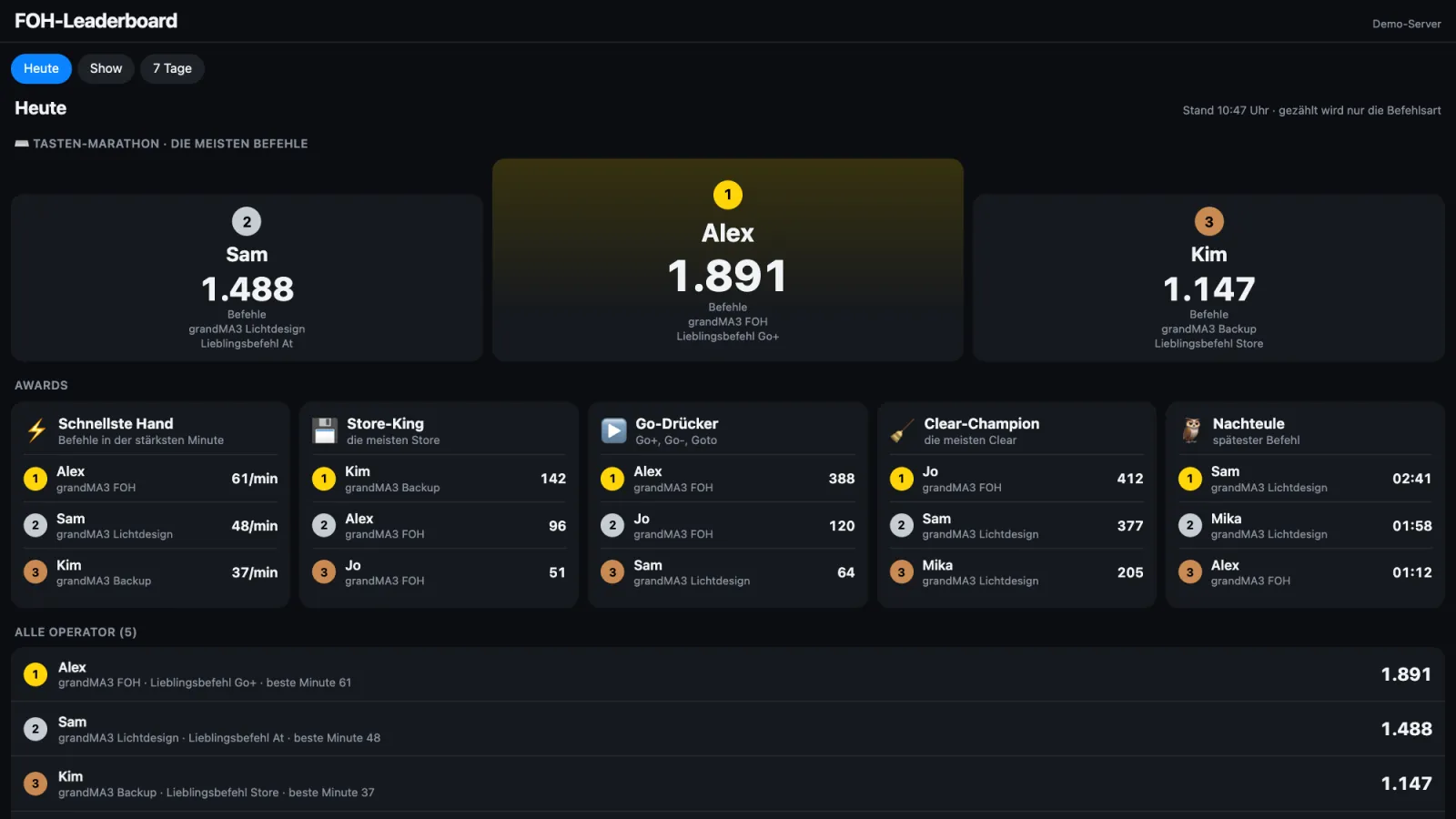
Who pressed the most commands today? From the grandMA2 System Monitor StageSense counts commands per operator and hands out awards: fastest hand, store king, go presser, clear champion, night owl and more – for today, the current show or 7 days.

Only the command type counts, never its content. The web app shows operator data only after signing in with a PIN or if you explicitly allow it. It evaluates MA user names – inform operators beforehand; can be switched off at any time.

MA log in the manual (German)

FOH leaderboard: podium with the most commands, below awards such as fastest hand, store king, go presser, clear champion and night owl
FOH leaderboard · made-up names

Console hardware

Generation v1 or v2, processor, memory, model and serial number of all grandMA consoles and processing units. Console diagnostics

grandMA2 System Monitor

Read-only via Telnet: log with filters, saves and logins, show file saves per console and command statistics.

Timecode

Art-Net timecode with frame rate, running or stopped – for grandMA2 also the LTC and MIDI inputs of the consoles, with an alert when lock is lost.

Session safety

Alerts when the backup has taken over, the backup is not in the session or out of sync, versions or show files differ, or the whole session is no longer visible – as one alert instead of one per console.

Clocks of MA devices

StageSense shows how far the clocks of consoles and PUs drift, and can itself be the time server for the show network.