StageSense is currently in development and not yet available.
Overview & SitesPowerLighting & MAConsole DiagnosticsNetworkAlerts & NotificationsBlackbox & ReportsWeb App & PhoneServer, Client & Bridge

Features

Web App & Phone

Everything in the browser and on the iPhone, DC pages for monitors, internet view on the go.

Screenshots show the app in German with demo data; English screenshots follow with version 1.4.

Web app in the browser and on the iPhone

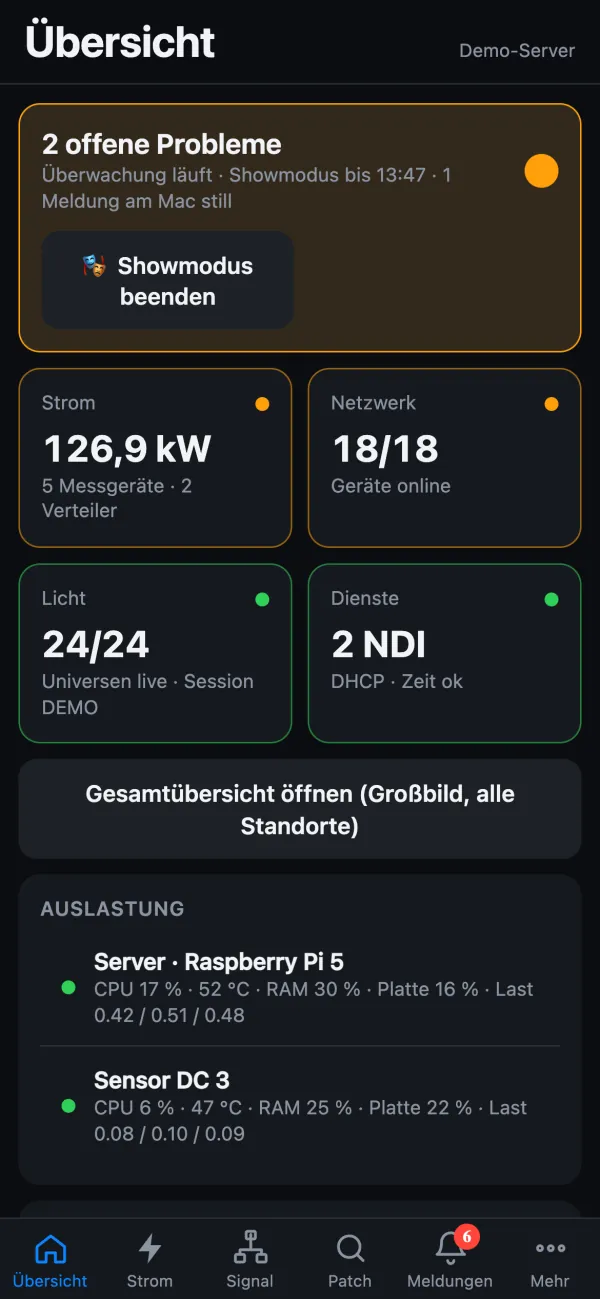
The web app puts StageSense on your phone or tablet – on the local network, via Tailscale or via your own HTTPS address; add it to the iPhone home screen and switch on push. Tabs for overview, power, signal, patch, alerts and more.

Viewing and acknowledging work in the web app, switching and changing settings don’t – not even with a PIN. Operator data and exports require signing in; optionally the web app asks for a PIN just to view.
Web app in the manual (German)

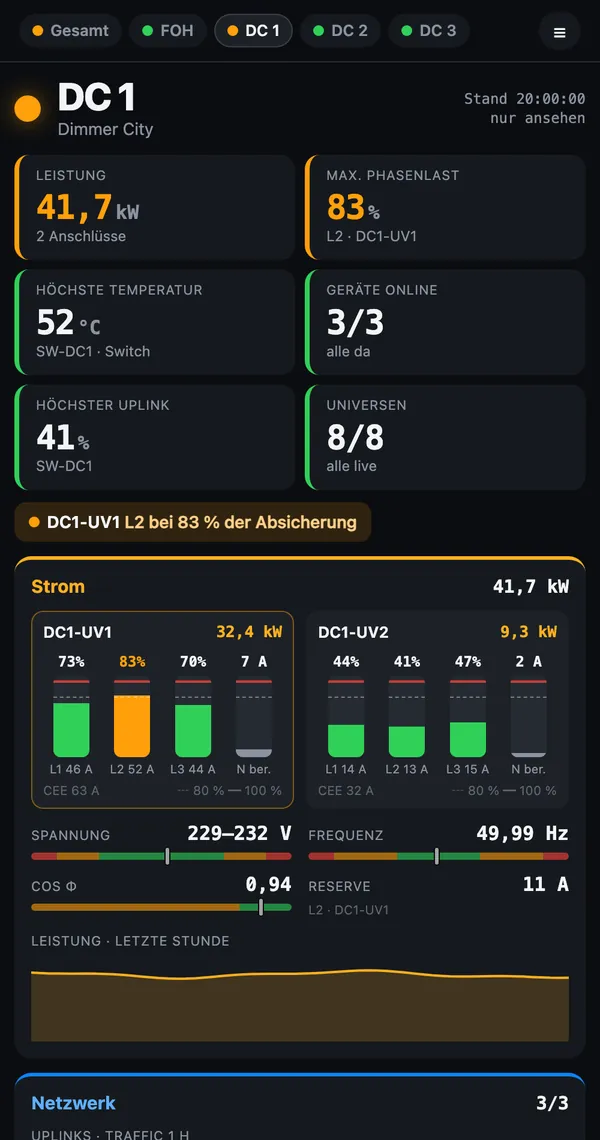
Web app overview on the phone with open problems, show mode and the four areasDC page on the phone in portrait: key figures in two columns, below power with phase bars
Web app on the phone · demo data

DC pages for monitors

Under /dc the overall page and one page per site, updated every 3 seconds. /dc/DC 1 opens a site directly, /dc?auto=20 pages through by itself, /foh shows a full-screen view for FOH.

Internet view

View the server on the go at live.stagesense.de, with an ID and PIN. The server only connects outward – the Pi stays unreachable from outside. No IP or MAC addresses, serial numbers or internal IDs go out to the internet – not even in message texts.

Details on the go New in 1.3.5

The internet view includes the details of the DC pages with current values, refreshed every 12 seconds, plus the device page with current values – without history and without addresses.

Push from iOS 16.4

Open the web app via HTTPS, start it from the home screen, switch on push – done. A test alarm checks the route.